Start with the right path
Choose between generating a hosted MCP server, configuring Gateway, and embedding an agent.
MCP Stack helps developers turn existing APIs into production-ready MCP endpoints and agent experiences. The platform is easiest to understand as four layers:
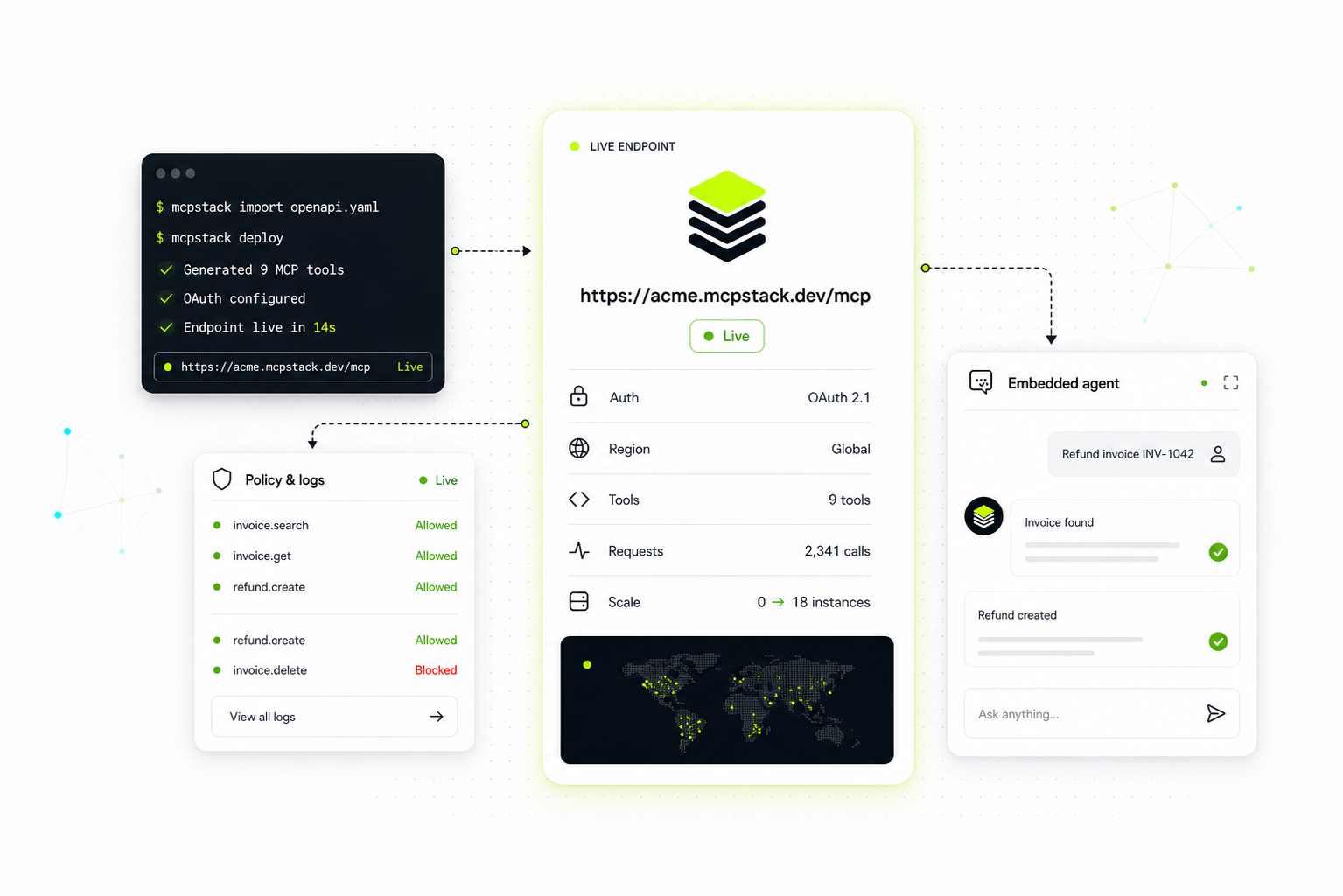
API teams usually start on the left with OpenAPI. OAuth-protected APIs move through Gateway. Hosted runtimes produce the public /mcp endpoint. Product teams attach the server to an agent and embed the assistant in their app.
If your API has an OpenAPI URL, create a generated MCP server first. Select a small set of useful tools, choose the runtime auth model, let Host publish it, then run the tools/list smoke test before adding it to an agent.
Use Generate from OpenAPI when your product already has an OpenAPI 3.0 or 3.1 spec and you want MCP Stack to create and host the MCP runtime. This is the primary self-service path.
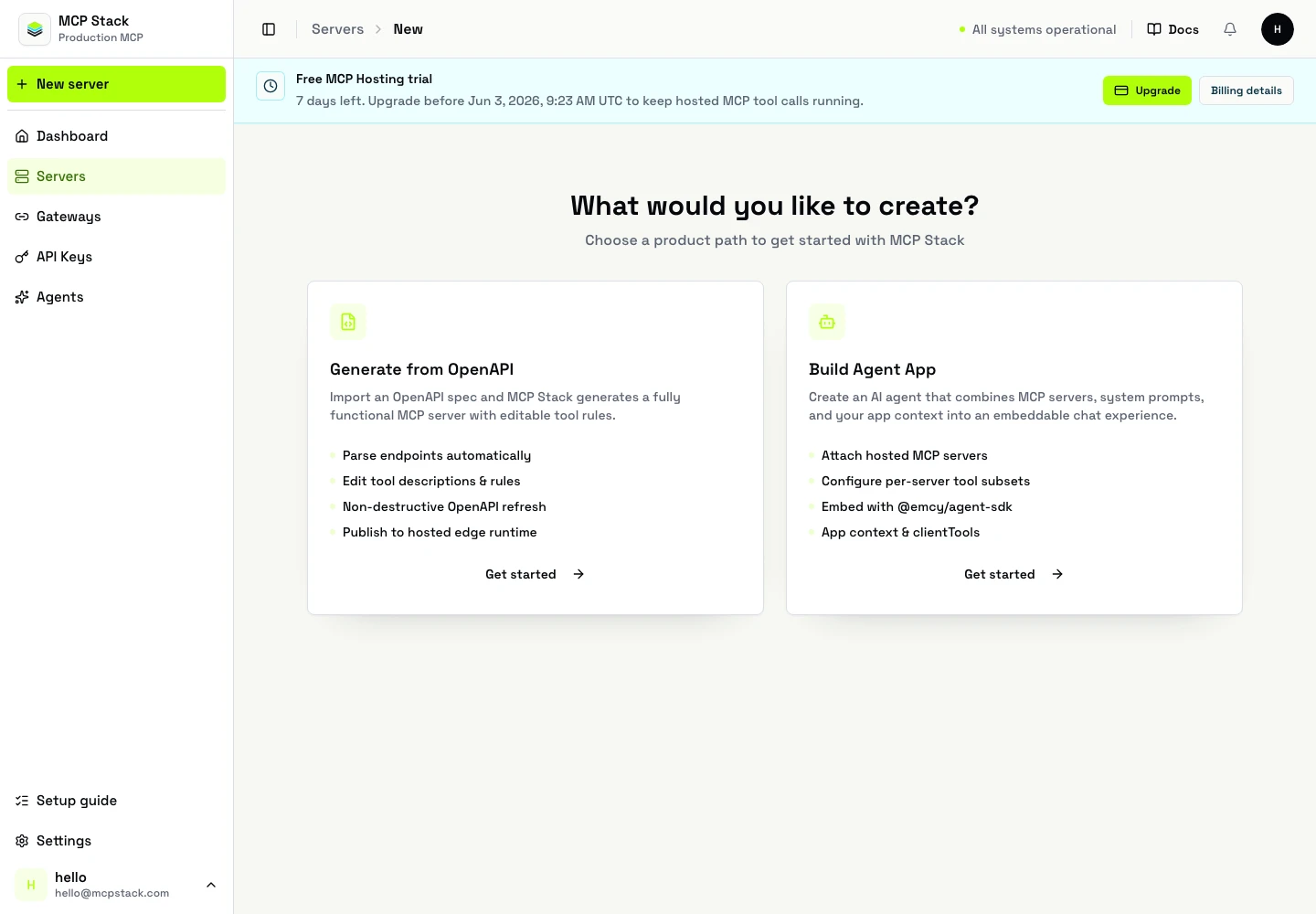
The create screen starts with the two first-class paths: generate a new MCP runtime from OpenAPI, or move into the agent app flow after a server is ready.
Choose Use MCP Stack Gateway when the API is user-scoped or OAuth-backed and you want OAuth handled at the edge instead of handing client tokens directly to the runtime.
Use Static Headers when every upstream API call should include the same API key, tenant header, or static bearer value. This is not a per-user OAuth model.
Use Public API when the upstream API is open, test-only, or already protected behind a trusted network boundary and the MCP runtime does not need credentials.
Use Agents and Embed after at least one server exists. Agents combine MCP tools, model configuration, a system prompt, user/session context, and optional local clientTools.
Pick one low-risk API domain with clear user value. Good first servers expose 5 to 20 tools, not every endpoint in a large API.
Strong examples:
Avoid starting with:
Paste a public OpenAPI URL into the dashboard wizard. The parser extracts API title, base URL, security schemes, tags, operations, parameters, and request bodies.
Keep the tools a developer or end user can explain. Disable noisy internal endpoints. Add "when to use" and "when not to use" instructions to important write operations.
Pick Public API, Static Headers, or Gateway. For OAuth-protected or bearer-protected user data, Gateway is the right MCP Stack path.
The dashboard saves the server config and starts Host publishing automatically. The Hosting tab shows progress and the production /mcp endpoint.
Create an agent, attach the MCP server, choose a model, write a system prompt, and test the auth/connect flow before embedding it in your product.
Your first MCP Stack implementation is ready when:
/mcp.tools/list passes from the dashboard or CLI.Start from what you already have: