Manage organization members
Invite teammates, assign roles, and manage pending invitations from the dashboard or CLI.
Organization members share access to MCP servers, agents, Gateway profiles, and billing views according to their role. Owners and Admins manage membership; Developers and Viewers are invited by email.
See Organization roles and billing access for what each role can do.
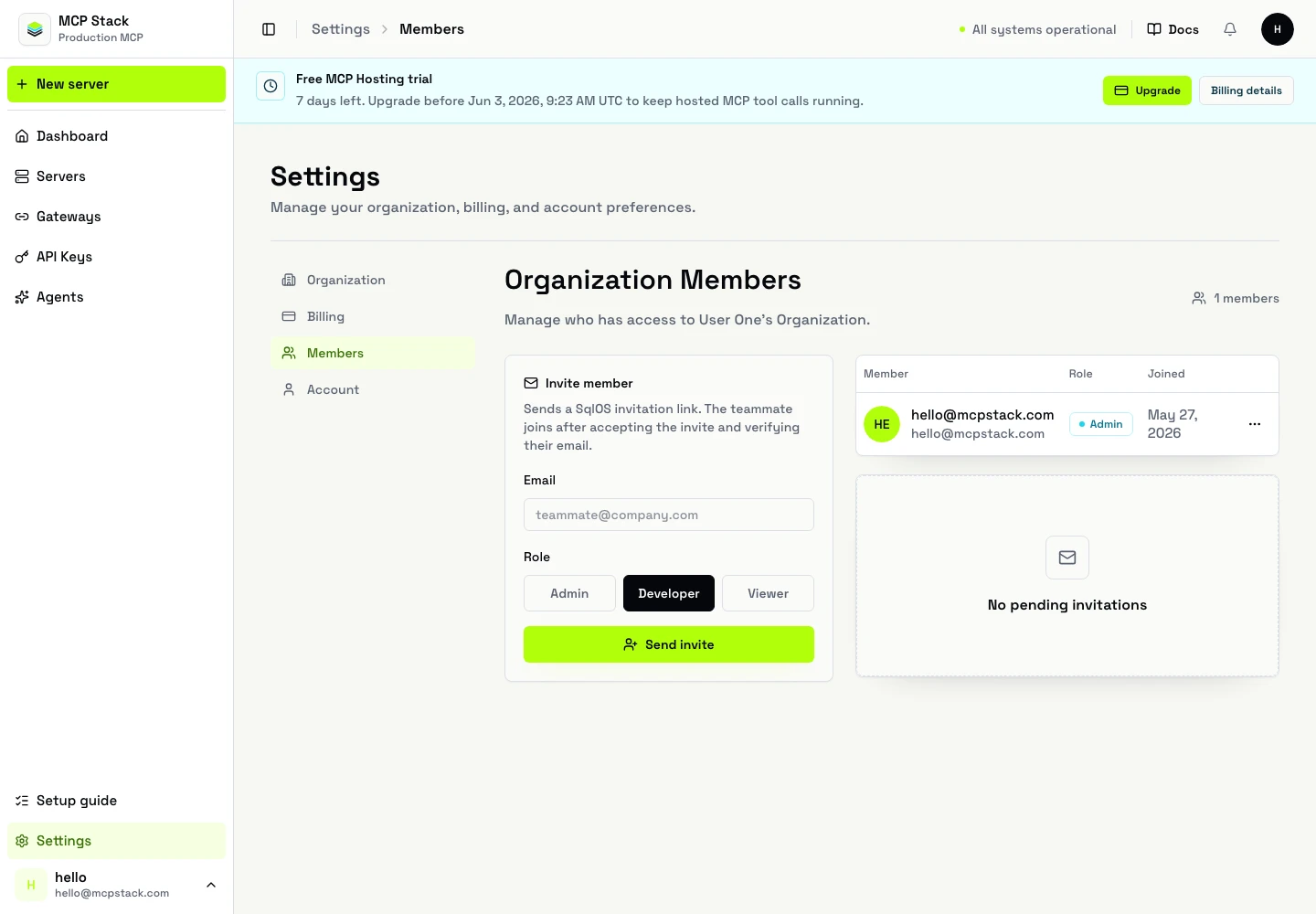
Settings → Members shows current members and pending invitations.
Settings.Members.Invite member.Remove members or change roles from the same page when your role allows it.
mcpstack members invite teammate@example.com --role developer
mcpstack members invitations list
mcpstack members invitations revoke inv_123 --yes
List current members through the dashboard or organization APIs.
List pending invitations:
GET /api/v1/organizations/{orgId}/invitations
Authorization: Bearer {token}
Create an invitation:
POST /api/v1/organizations/{orgId}/invitations
Authorization: Bearer {token}
Content-Type: application/json

{
  "email": "teammate@example.com",
  "role": "developer"
}
Resend or revoke:
POST /api/v1/organizations/{orgId}/invitations/{invitationId}/resend
POST /api/v1/organizations/{orgId}/invitations/{invitationId}/revoke
List members:
GET /api/v1/organizations/{orgId}/members
Authorization: Bearer {token}| Symptom | What to check |
|---|---|
| Invite not received | Spam folder; email typo; invitation still pending in Members list. |
| Cannot manage billing | Role is Developer (view only) or Viewer. Buying top-ups requires Owner or Admin. |
| Cannot invite | Your role is not Owner or Admin. |
Owners and Admins invite from Settings → Members or mcpstack members invite. Pick the smallest role that matches how the teammate will work.