API keys and service accounts
Create service-account API keys for CLI and automation without interactive login.
The API Keys page has two credential types:
mcpstack_pk_*) are publishable browser keys for @mcpstack/agent-sdk embeds. They are scoped to one agent and restricted by allowed browser origins.mcpstack_sk_*) are secrets for CI pipelines, scripts, backend jobs, and telemetry. Each service key is tied to an organization role and enforced through the same permission model as human members.--org or MCPSTACK_ORG_ID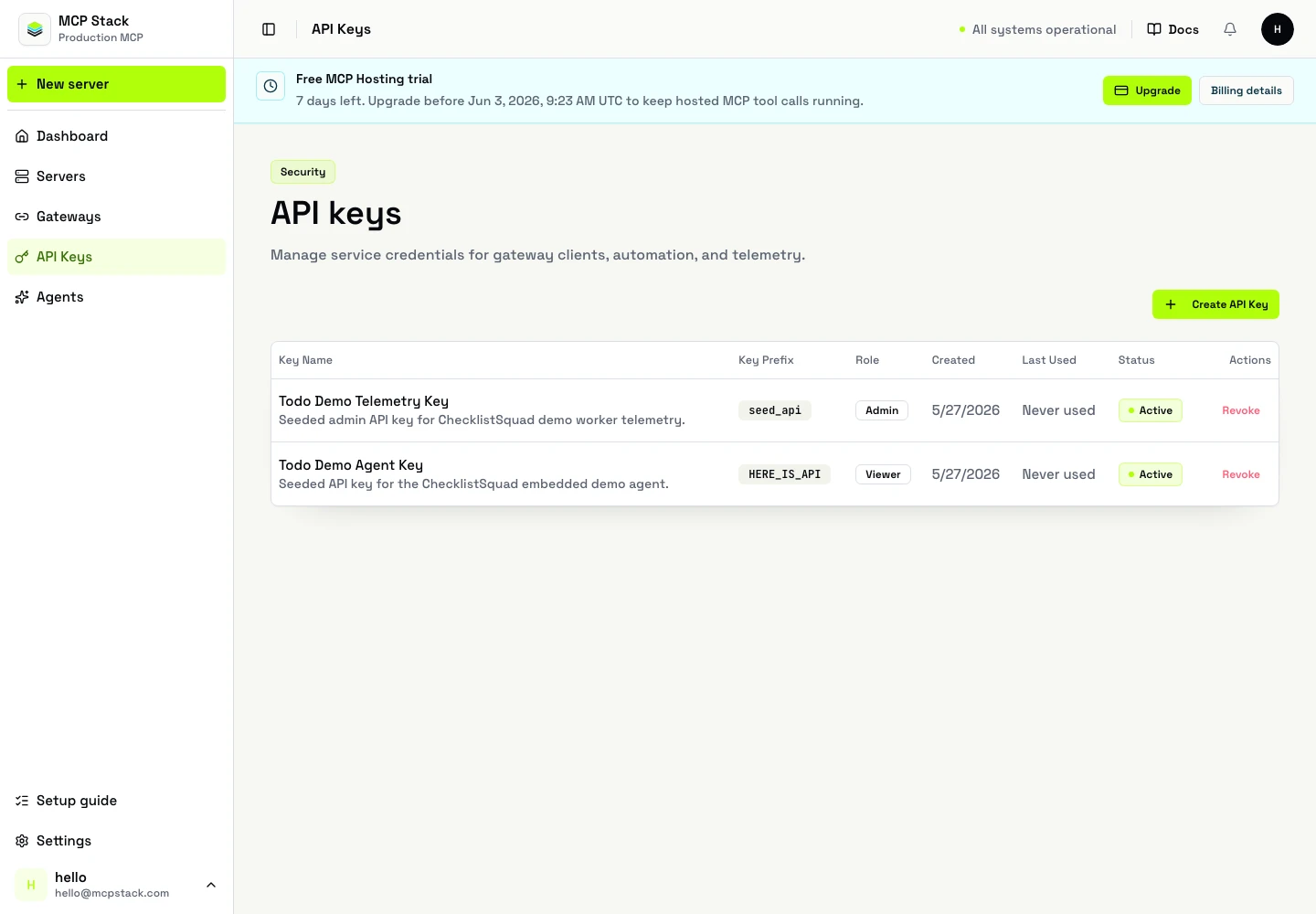
The API Keys page lists active keys, roles, and last-used timestamps.
API Keys from the dashboard sidebar.Service account keys, click Create service key.ci-smoke-prod).Developer for automation that manages servers and agents).Revoke keys you no longer need from the same page.
To embed an agent in a browser, use Create public key instead. First verify the customer domain from the agent's Embed tab, then choose the agent, enter exact allowed origins such as https://app.example.com, and copy the resulting mcpstack_pk_* value. Public keys remain visible so embed snippets can be recovered later; service-account secrets do not.
Human login for local work:
npm install -g @mcpstack/cli
mcpstack auth login
mcpstack org list
mcpstack api-keys list --org org_123
Create and use a service-account key:
mcpstack api-keys create --name automation-bot --role developer
mcpstack api-keys list

export MCPSTACK_API_KEY=mcpstack_sk_xxxx
mcpstack auth service-account login --key "$MCPSTACK_API_KEY"
mcpstack servers list --jsonList keys:
GET /api/v1/organizations/{orgId}/api-keys
Authorization: Bearer {token}
Create a key:
POST /api/v1/organizations/{orgId}/api-keys
Authorization: Bearer {token}
Content-Type: application/json

{
  "name": "automation-bot",
  "role": "developer"
}
The response includes the secret once. Revoke with:
DELETE /api/v1/organizations/{orgId}/api-keys/{keyId}
Authorization: Bearer {token}
Automation can authenticate with Authorization: Bearer {api-key} or X-API-Key on management APIs.
| Practice | Why |
|---|---|
| One key per environment | Limits blast radius on leak or rotation. |
| Minimum role | Use Developer unless Admin operations are required. |
| Rotate on schedule | Create a new key, update CI, revoke the old key. |
| Never commit secrets | Use CI secret stores only. |
| Symptom | What to check |
|---|---|
| HTTP 401 | Key revoked, wrong key, or missing login. |
| HTTP 403 | Key role lacks permission for the resource. |
| Wrong organization | Pass --org for one command or set MCPSTACK_ORG_ID. |
Use service-account keys for automation. Use agent public keys for browser embeds. Never put an mcpstack_sk_* service-account secret in frontend code.