Connect MCP clients
Use the Connect tab to configure Claude, ChatGPT, VS Code, Cursor, and other MCP clients.
After a server is created and reachable, use the server Connect tab as the source of truth for client configuration. It shows the public MCP URL, OAuth metadata, and client-specific snippets when available.
If a hosted server has an active custom domain, the Connect tab uses that custom /mcp URL. The canonical MCP Stack URL remains available as a fallback while DNS or managed TLS is still pending. See Set up a custom MCP domain for the full custom-domain workflow and status stages.
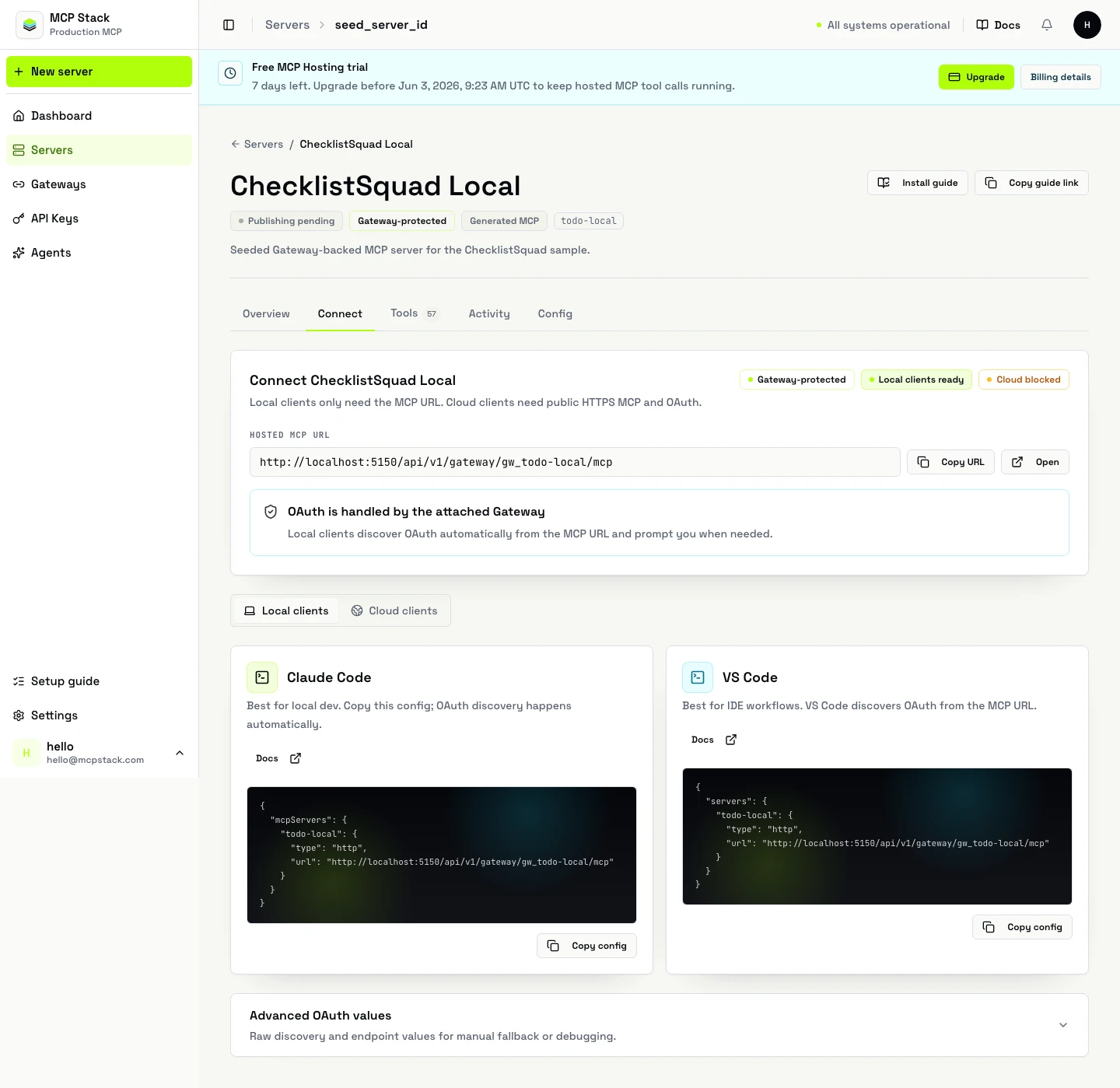
The Connect tab is the source of truth for MCP URLs, OAuth metadata, and client snippets.
The Connect tab can show:
Copy values from the Connect tab instead of guessing endpoint paths.
For local developer clients that accept JSON configuration, the shape is usually:
{
  "mcpServers": {
    "support-api": {
      "url": "https://your-public-mcp.example.com/mcp"
    }
  }
}
If the server is Gateway-backed, the client should follow the advertised OAuth metadata rather than requiring a manually pasted downstream access token.
Use the snippet from the Connect tab when possible. A typical command-based local client configuration looks like:
{
  "mcpServers": {
    "support-api": {
      "type": "http",
      "url": "https://your-public-mcp.example.com/mcp"
    }
  }
}
Cloud clients need a public MCP URL and working OAuth metadata. Before sharing a server with a cloud client:
/mcp.tools/list from MCP Stack or the CLI.Use curl to verify discovery before troubleshooting the MCP client:
curl -i https://your-public-mcp.example.com/.well-known/oauth-protected-resource
curl -i https://your-public-mcp.example.com/.well-known/oauth-authorization-server
Expected result:
| Symptom | Most likely cause |
|---|---|
| Client cannot list tools | Runtime is not published yet, wrong /mcp URL, or Gateway cannot reach runtime. |
| OAuth opens but callback fails | Callback URL is missing or wrong in downstream provider. |
| Client receives invalid audience | Resource/audience does not match downstream API configuration. |
| Tool call gets 401 from upstream | Missing scopes, expired downstream grant, or runtime not using Gateway mode. |
| Cloud client rejects metadata | Public metadata URL is not reachable over HTTPS. |
| Connect tab shows old URL | Custom domain still pending; use canonical URL until status is active. |
Collect the MCP URL, whether the server is Gateway-backed, which client you are using, and the first failing request. Then verify URL, metadata, callback, scopes, and a tools/list smoke test in that order.