Create an MCP Stack agent
Attach MCP servers to an agent, choose model settings, write a system prompt, and test the first conversation.
Agents turn MCP servers into usable assistant experiences. A server exposes tools; an agent decides how to use those tools in conversation with a specific model, prompt, and connection state.
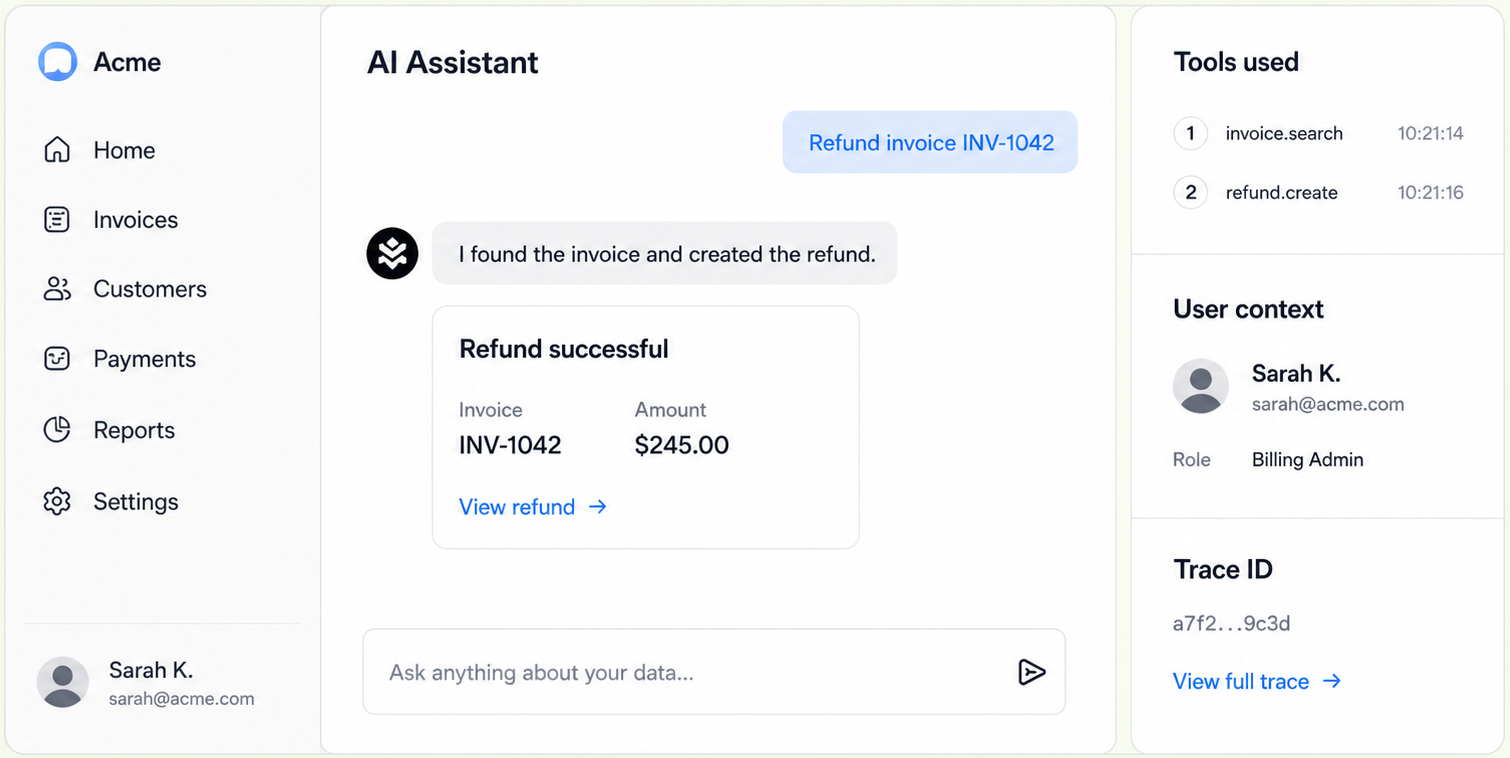
Agents combine model configuration, MCP server attachments, user context, and conversation state.
Have at least one MCP server ready:
tools/list should pass.Do not create the agent first and hope the tool surface becomes clear later. Agent quality depends on server quality.
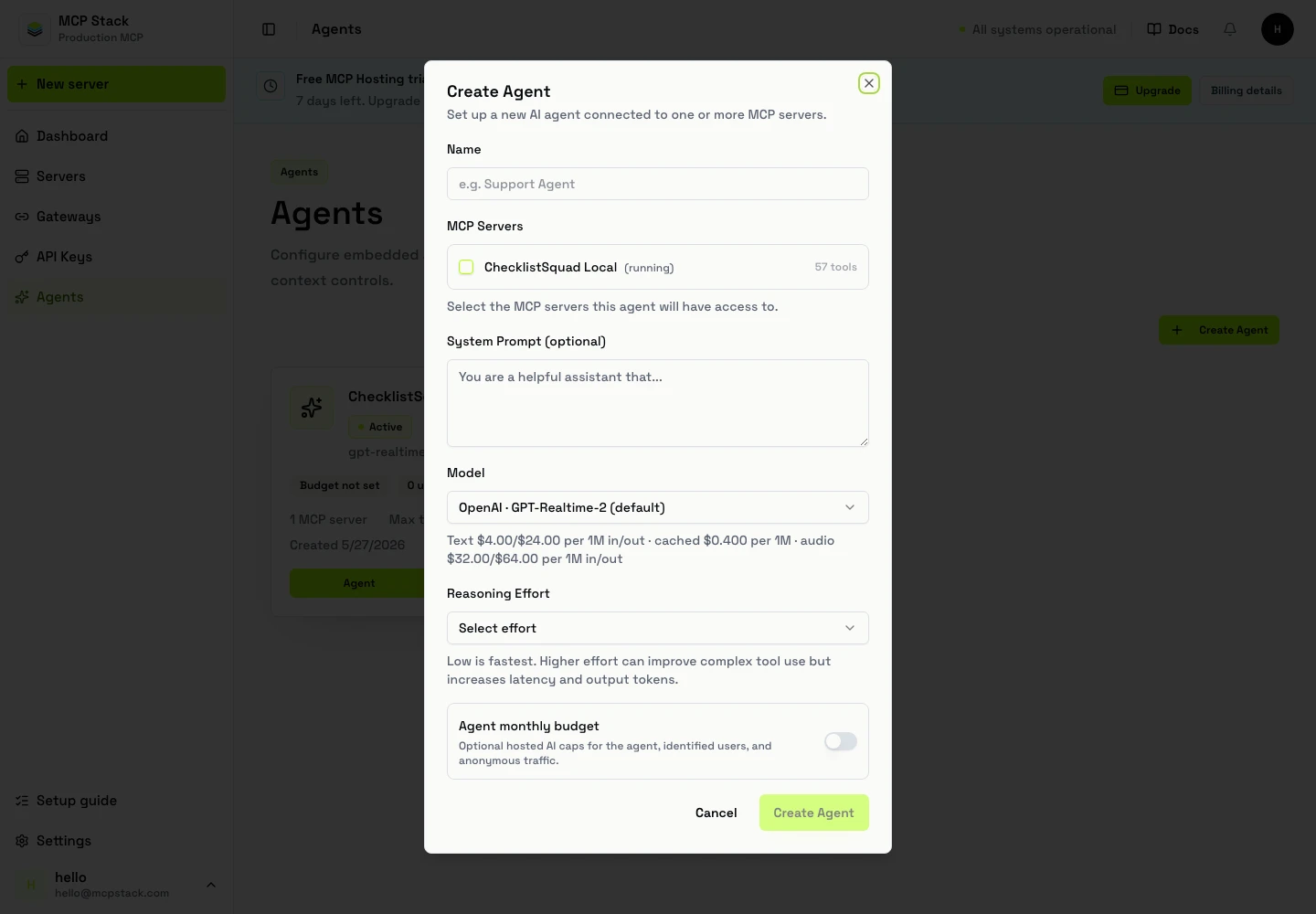
Create agents after the server tool surface is healthy. The agent workspace is where servers, model settings, instructions, and test conversations come together.
Agents.Create Agent.mcpstack agents list --json
mcpstack agents get ag_support --json
mcpstack agents create --name "Support Assistant" --jsonAttach MCP servers and model settings in the dashboard or via the agents API after creation.
Create an agent:
POST /api/v1/organizations/{orgId}/agents
Authorization: Bearer {token}
Content-Type: application/json

{
  "name": "Support Assistant",
  "model": "gpt-4.1",
  "provider": "openai",
  "systemPrompt": "You are a support assistant...",
  "mcpServerIds": ["srv_support"]
}
List agents:
GET /api/v1/organizations/{orgId}/agents
Authorization: Bearer {token}
Set agent budgets with PATCH .../budget for the agent pool and per-user defaults, and PUT .../external-users/{id}/budget for a single user's monthly cap.
Use a prompt that describes role, scope, tool boundaries, and confirmation rules.
You are a support operations assistant for Acme.

You can search tickets, read ticket history, and draft or apply ticket updates
using the connected MCP tools. Use read tools before write tools. Before
changing a ticket, confirm the ticket ID, customer, action, and final wording.

Do not invent API results. If a tool returns an error, explain the failure in
plain language and ask the user for the missing information or next step.
Attach servers by task domain, not by organization chart.
Good agent boundaries:
Avoid one giant agent with every company tool attached. It increases model confusion and increases the blast radius of a bad prompt.
Test in this order:
| Area | Ready when |
|---|---|
| Tools | Server has focused enabled tools and tools/list passes. |
| Auth | Gateway-backed servers show connected state. |
| Prompt | Role, scope, and confirmation behavior are explicit. |
| Model | Selected model is appropriate for latency and reasoning needs. |
| Logs | You can inspect tool calls during test conversations. |
Before creating an agent, confirm you have a healthy MCP server; if not, finish server creation and smoke tests first. Then attach the server, select a model, write the system prompt, and run a read/write test plan.