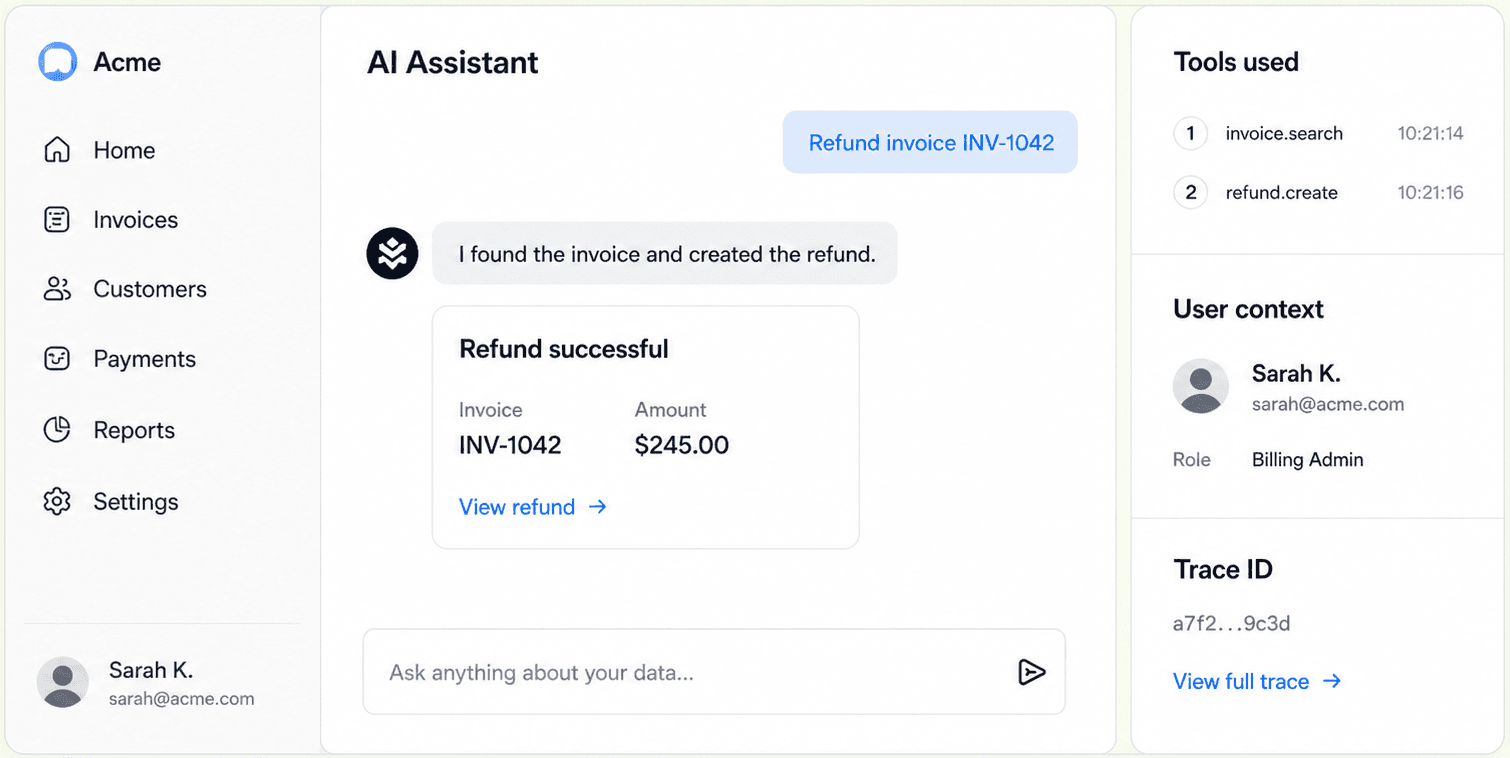
MCP Stack Agents now use AG-UI at the frontend boundary.
That sounds like a protocol swap, but the important part is what did not move. MCP Stack Servers still speak MCP. Gateway still owns token exchange and OAuth policy. AuthGateway still controls authority for backend access. Budgets, logs, FGA checks, and server-side tool execution remain on the MCP Stack side of the line.
If you want the product view first, start with the AG-UI agents landing page, then open the dashboard and use the embedded MCP Stack Operator in the sidebar.
The new shape is:
AgentSDK / CopilotKit / custom AG-UI frontend
        -> AG-UI
MCP Stack Agent
        -> MCP
MCP Stack Server
        -> Gateway / AuthGateway
        -> SaaS API
This keeps the two protocol jobs separate. AG-UI is the agent frontend protocol. MCP is the server tool protocol.
Why this boundary matters#
Agent frontends need a stream of UI-shaped events:
- assistant message deltas
- tool call started
- tool call completed
- frontend tool requested
- frontend tool completed
- errors
- run finished
That is the natural shape for a React component, a CopilotKit app, or a custom chat surface. It is not the same job as exposing a SaaS API as MCP tools.
Server tools need a different set of guarantees:
- identity belongs to the signed-in user
- backend writes are authorized by the same policy as the dashboard or API
- tool calls are logged
- budgets and AI credits are enforced
- Gateway validates origins, resources, scopes, and app tokens
Those guarantees are already the reason MCP Stack has Servers, Gateway, AuthGateway, and Agents as separate product objects. AG-UI should not flatten that model. It should make the frontend boundary easier to integrate with while preserving the backend control plane.
What AgentSDK does now#
AgentSDK is MCP Stack's first-party AG-UI client.
Existing application code still looks like the same app-agent integration:
import { useAppAgent } from "@mcpstack/agent-sdk/react";

const agent = useAppAgent({
  apiKey: "mcpstack_pk_...",
  agentId: "ag_support",
  appSessionKey: session.id,
  userIdentity: {
    subject: user.id,
    email: user.email,
    organizationId,
  },
  auth: {
    mode: "app-token",
    getToken: () => session.getAccessToken(),
  },
  appContext: {
    page: "ticket-detail",
    ticketId,
  },
  frontendTools,
});
Underneath, AgentSDK starts an AG-UI run against the agent endpoint, streams assistant events, sends frontendTools as AG-UI frontend tools, runs those frontend tools locally when requested, and continues the run with the tool result.
The developer-facing model stays focused on the app:
- Who is the signed-in user?
- What app session boundary should isolate state?
- What page context should the agent know?
- Which app-local actions can the agent request?
Frontend tools are app-local tools#
Frontend tools are app-local actions. They are the right place for UI behavior:
- navigate to a route
- read selected rows
- draft into an editor
- apply a local table filter
- ask the user for input
- render a host-app table or chart
- show an approval card before a durable action
AG-UI gives these tools a standard frontend-tool shape. That makes the AgentSDK model easier to align with other AG-UI-compatible frontends without asking every app to turn UI behavior into a server MCP tool.
The safety rule remains simple: frontend tools should not become an authorization bypass. If an action changes durable backend state, put it behind a server MCP tool and let Gateway/AuthGateway enforce the real permission boundary.
Server MCP tools still run server-side#
When the agent decides it needs a server MCP tool, MCP Stack does not ask the browser to call the MCP server directly.
For app-token embeds, AgentSDK forwards the host app's current access token with the AG-UI run. MCP Stack exchanges that token through Gateway, starts the MCP session server-side, calls the tool, records the result, and streams the AG-UI continuation back to the frontend.
That path keeps the product controls intact:
- Gateway validates the host token and browser origin.
- AuthGateway controls which server action is allowed.
- The MCP server receives the same user-scoped access it expects.
- Logs and usage remain visible in MCP Stack.
- Agent and user budgets still apply.
AG-UI adds frontend compatibility. It does not replace MCP, and it does not replace Gateway.
What custom AG-UI clients can do#
Because MCP Stack Agents expose an AG-UI-compatible run interface, a custom client can connect without adopting AgentSDK's React components.
A client should send:
- a
threadIdfor conversation continuity - a
runIdfor the current turn - the latest user message or AG-UI tool result
- frontend tool schemas when it supports local tools
- app context and MCP Stack forwarded props for user and budget attribution
The client receives the event stream it expects: text deltas, tool events, frontend tool requests, errors, snapshots, and run completion.
AgentSDK remains the fastest path for MCP Stack apps because it packages auth, app session state, frontend tools, app context, and existing UI helpers. The protocol boundary is open enough that teams can still bring their own AG-UI surface.
The short version#
MCP Stack Agents now speak AG-UI to frontends.
MCP Stack Servers still speak MCP.
Gateway and AuthGateway still decide what server-side actions are allowed.
That is the boundary we want: frontend ecosystem compatibility without giving up the control layer that makes MCP safe for production SaaS APIs.
See the AG-UI agent product page or read the implementation guide.