Most SaaS teams do not start with agents. They start with the familiar work: a product page, signup, a signed-in dashboard, scoped API tokens, user-owned data, and a backlog of customers asking, "Can I use this from ChatGPT?"
That is the path I wanted to test with MCP Stack. I built PetalPal, a tiny garden app where users sign in, add plants, water them, and keep a private plant list. The product is deliberately small, but the shape is real: a normal web app, a protected API, OpenAPI docs, Azure hosting, and an MCP Stack server that makes the same product available in ChatGPT and Claude.
The result is a useful baseline for AI app development: PetalPal remains the source of truth, MCP Stack becomes the hosted MCP edge, and end users connect from the AI clients they already use. No shared API key. No separate agent-only backend. No copy of user data outside the app's normal authorization model.
Live artifacts from the build:
- App: petalpal-mcpstack-journey.azurewebsites.net
- OpenAPI: swagger/v1/swagger.json
- App repo: ross-slaney/petalpal-mcpstack-journey
- Hosted MCP URL:
https://petalpal-api-mcp.mcp.mcpstack.com/mcp
Start with a normal SaaS app#
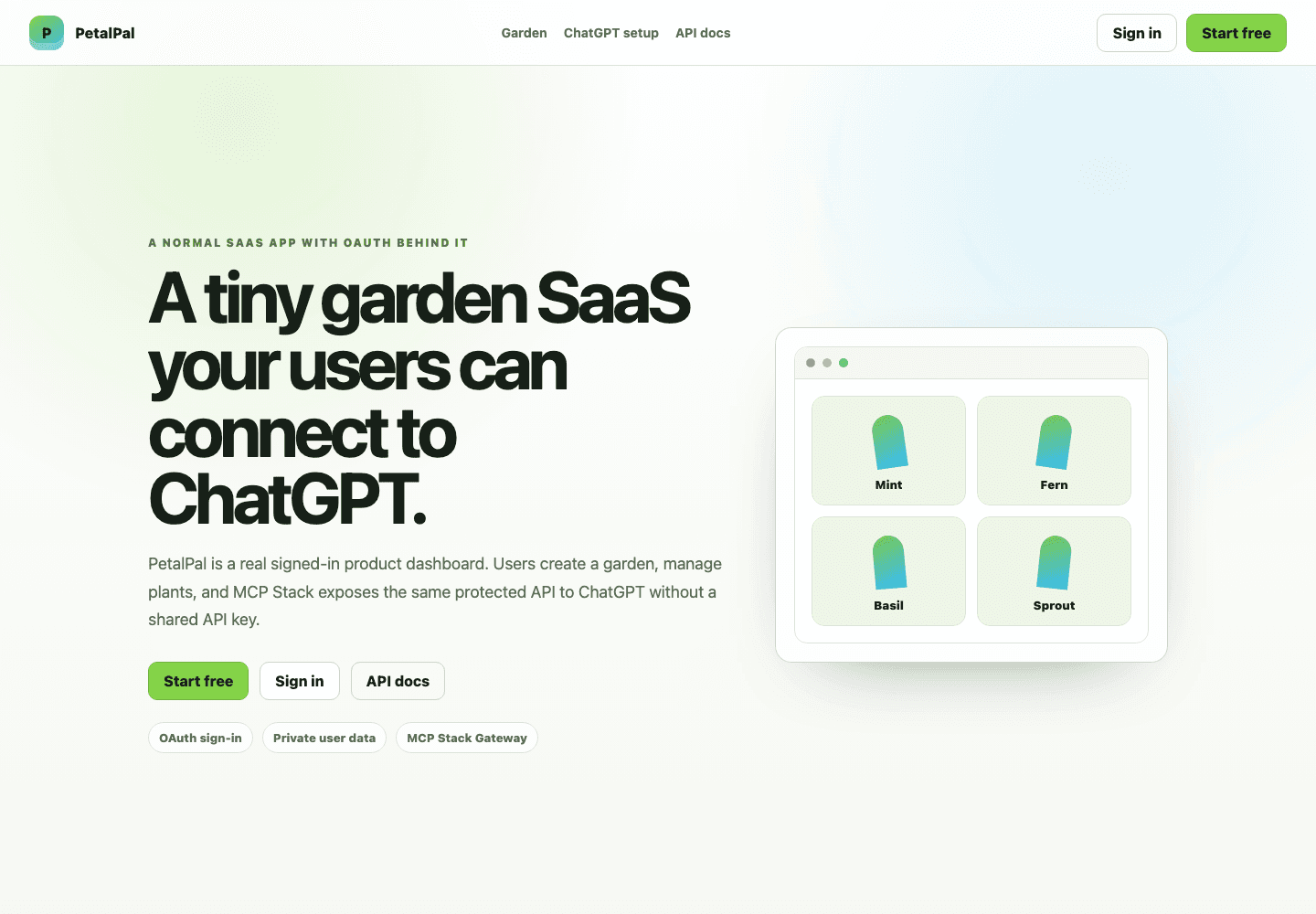
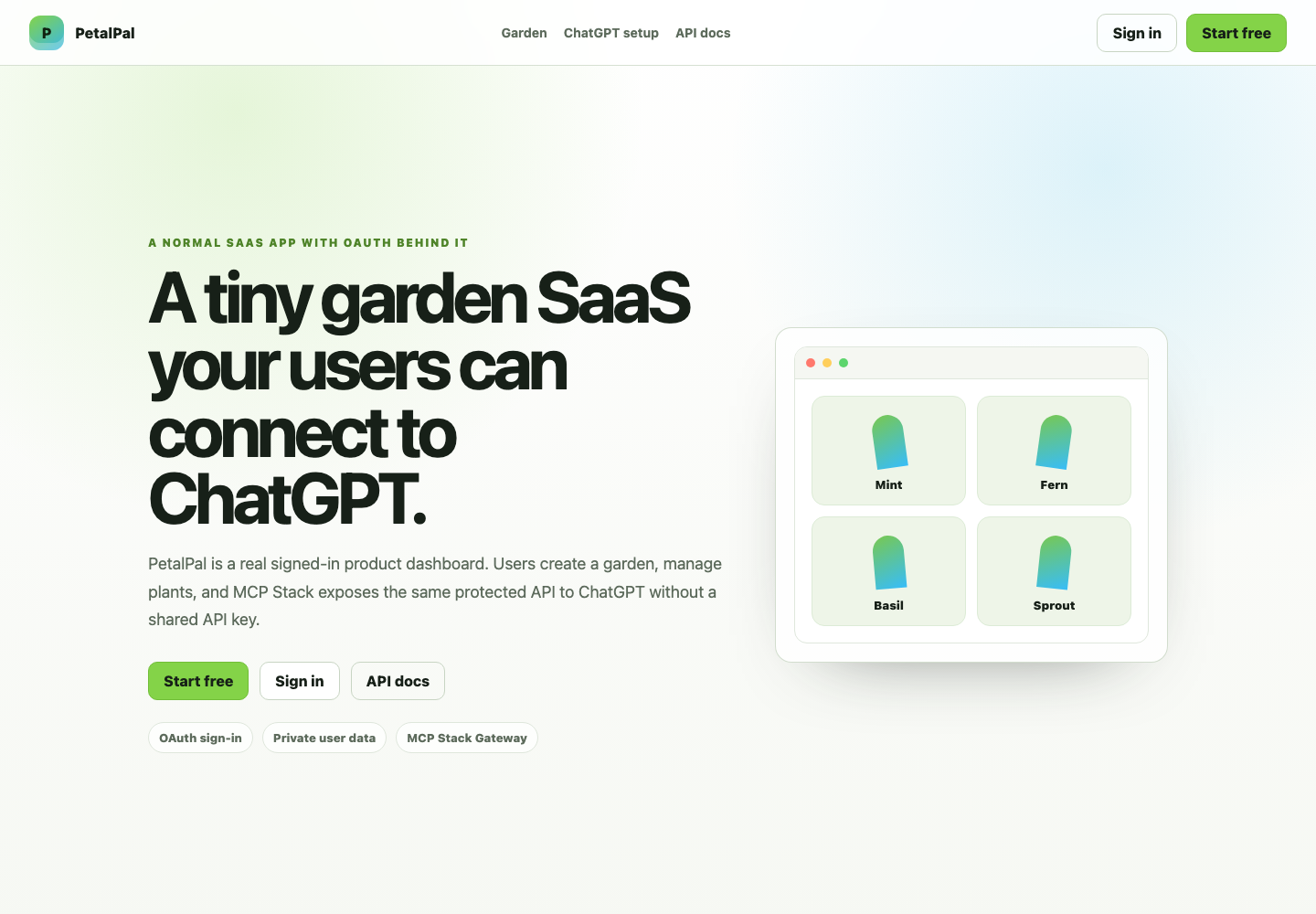
PetalPal has the expected SaaS surface: a product name, navigation, a short promise, Start free, Sign in, and a preview of the dashboard. The user does not need to know anything about MCP, OAuth metadata, gateways, or tool schemas yet. They just need to understand what the product does and how to start.
After sign-in, the app becomes a plain product dashboard. The browser calls the PetalPal API with the signed-in user's token, and the dashboard shows the private garden attached to that account.
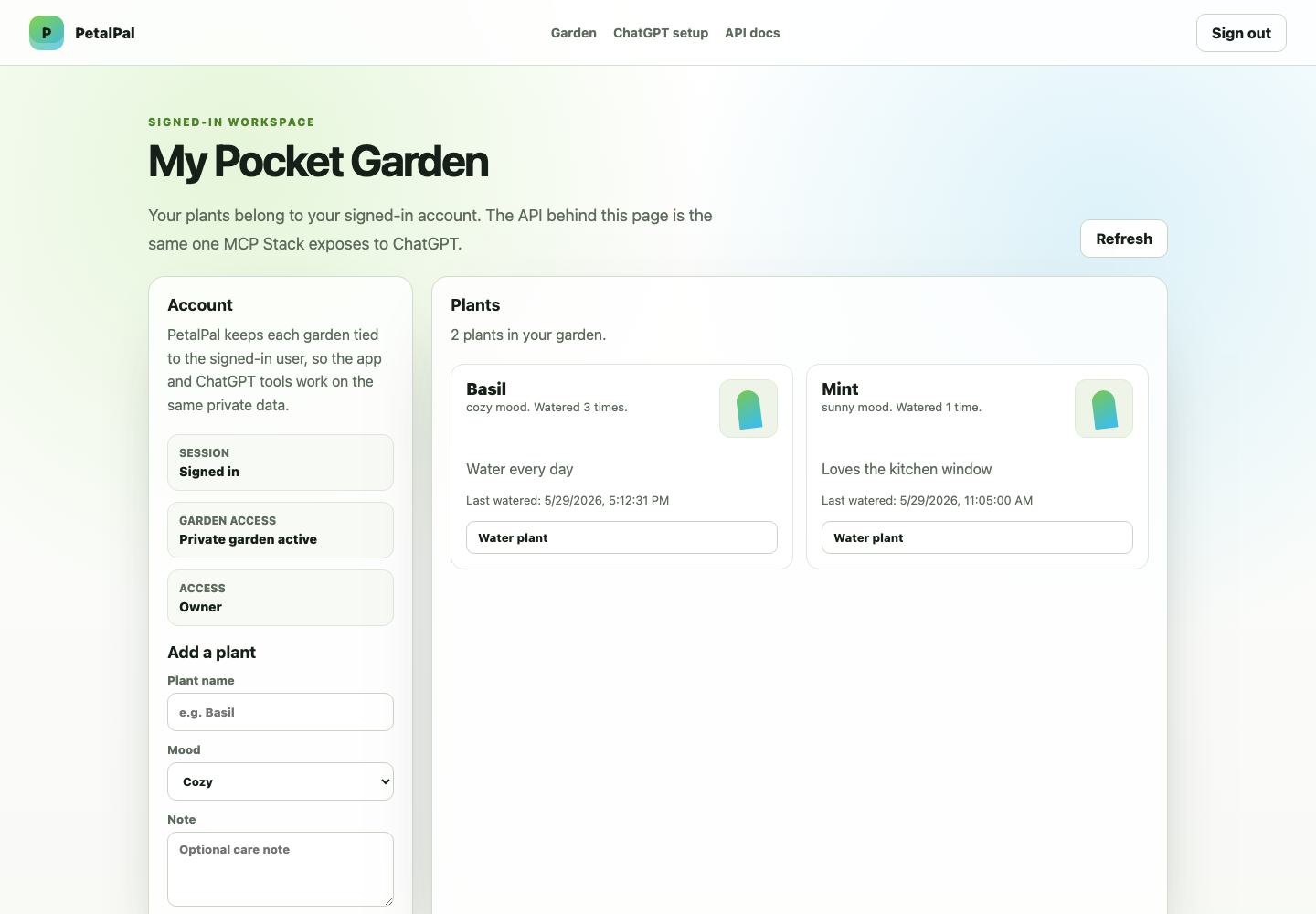
That is the important foundation. MCP Stack is not replacing the app. MCP Stack is the layer that lets AI clients reach the app through the same product boundary users already trust.
Keep auth and ownership in the app#
PetalPal needs the same security model most SaaS apps need before AI enters the picture: signup, sign-in, scoped access tokens, and per-user data access.
For this sample I used SqlOS because it is a compact way to embed OAuth, PKCE, token validation, and basic per-user access checks into a small demo. That choice is intentionally swappable. Auth0, WorkOS, Microsoft Entra, or an existing in-house identity system can play the same role as long as the app has an OAuth issuer, a protected API resource, and scopes that describe what clients may do.
PetalPal exposes a narrow OpenAPI surface for the operations a user would reasonably ask an assistant to perform:
get_my_petalpal_gardenlist_petalpal_plantscreate_petalpal_plantwater_petalpal_planttrace_petalpal_plant_access
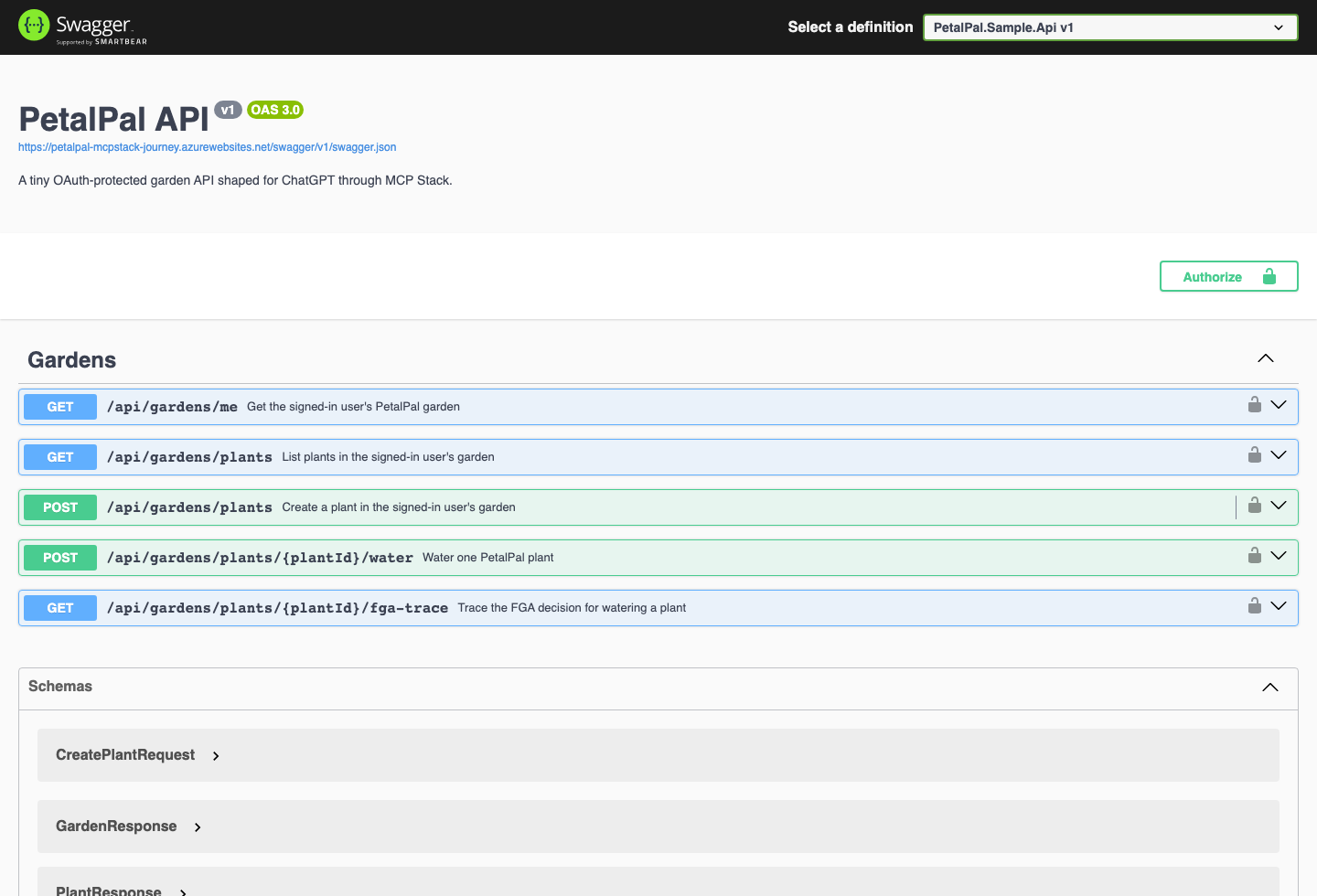
Those operations are not special agent endpoints. They are the product API, described clearly enough for MCP Stack to turn them into tools.
Let MCP Stack become the AI app layer#
Once PetalPal had a real app surface and a real OpenAPI document, the MCP Stack setup was straightforward:
- Import the live OpenAPI document.
- Configure the app's OAuth issuer, resource, and scopes.
- Add a short instruction prompt for the generated tools.
- Use the hosted MCP URL from the Connect tab.
The hosted MCP URL is the value I paste into ChatGPT and Claude:
https://petalpal-api-mcp.mcp.mcpstack.com/mcpMCP Stack handles the client-facing MCP and OAuth details at the edge. PetalPal keeps owning its data, tokens, scopes, and business logic. That division is the point: the SaaS app stays a SaaS app, and MCP Stack packages it for AI clients.
The domain prompt is small on purpose:
You are helping a signed-in user manage a tiny personal garden through PetalPal.
Treat each plant as user-owned data. Prefer read-before-write actions, keep
summaries short, and call create_petalpal_plant or water_petalpal_plant only
when the user clearly asks to add or water a plant.
That gives the client useful product context without hardcoding workflow logic into a separate agent service.
Add PetalPal to ChatGPT#
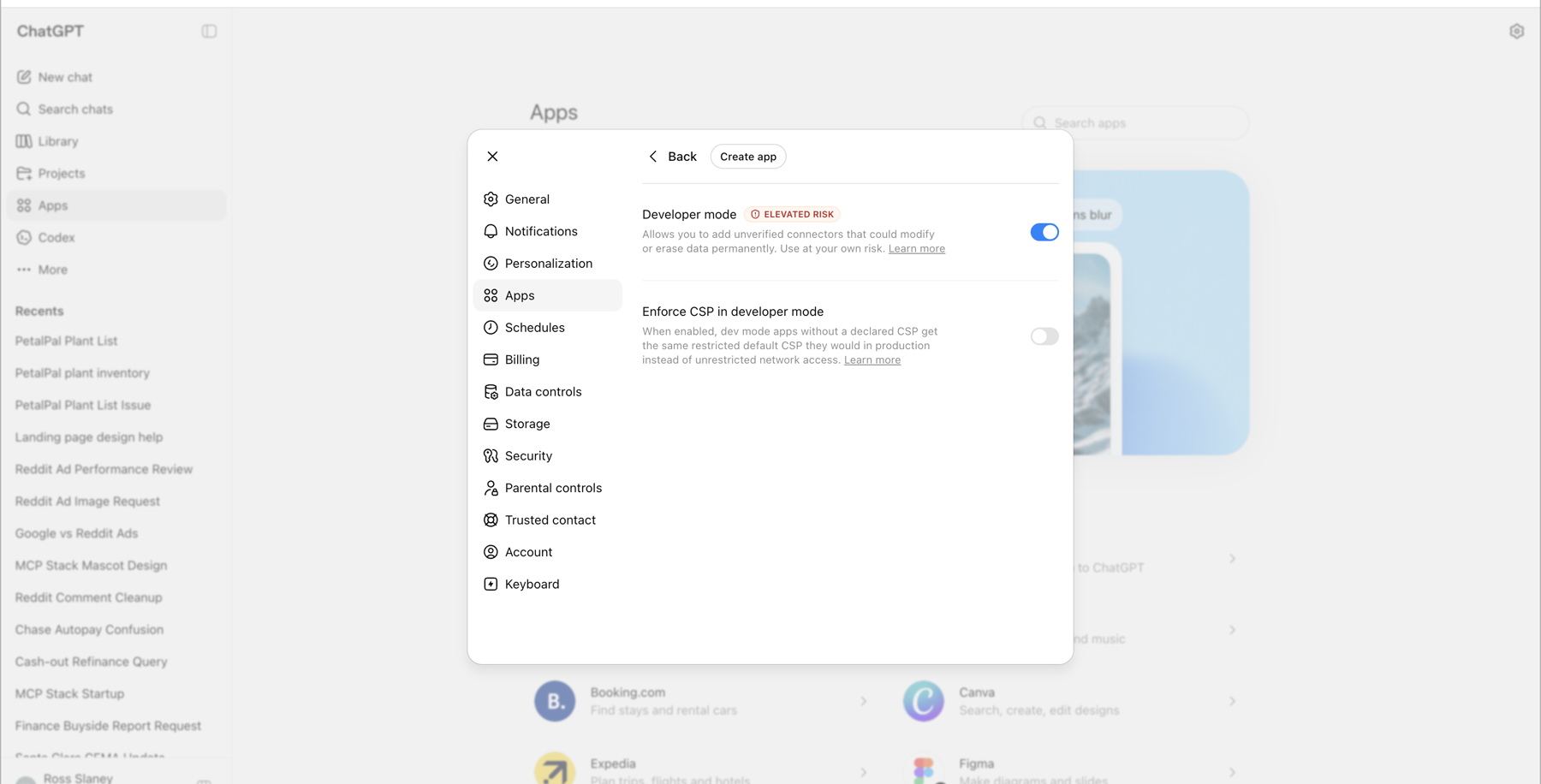
For ChatGPT, the customer journey starts in Settings. Open Settings, go to Apps, and enable developer mode under advanced app settings. That exposes the custom app flow.
Then create a custom app and fill out the form:
- Name:
PetalPal - Description: a short product description
- MCP Server URL:
https://petalpal-api-mcp.mcp.mcpstack.com/mcp - Authentication:
OAuth
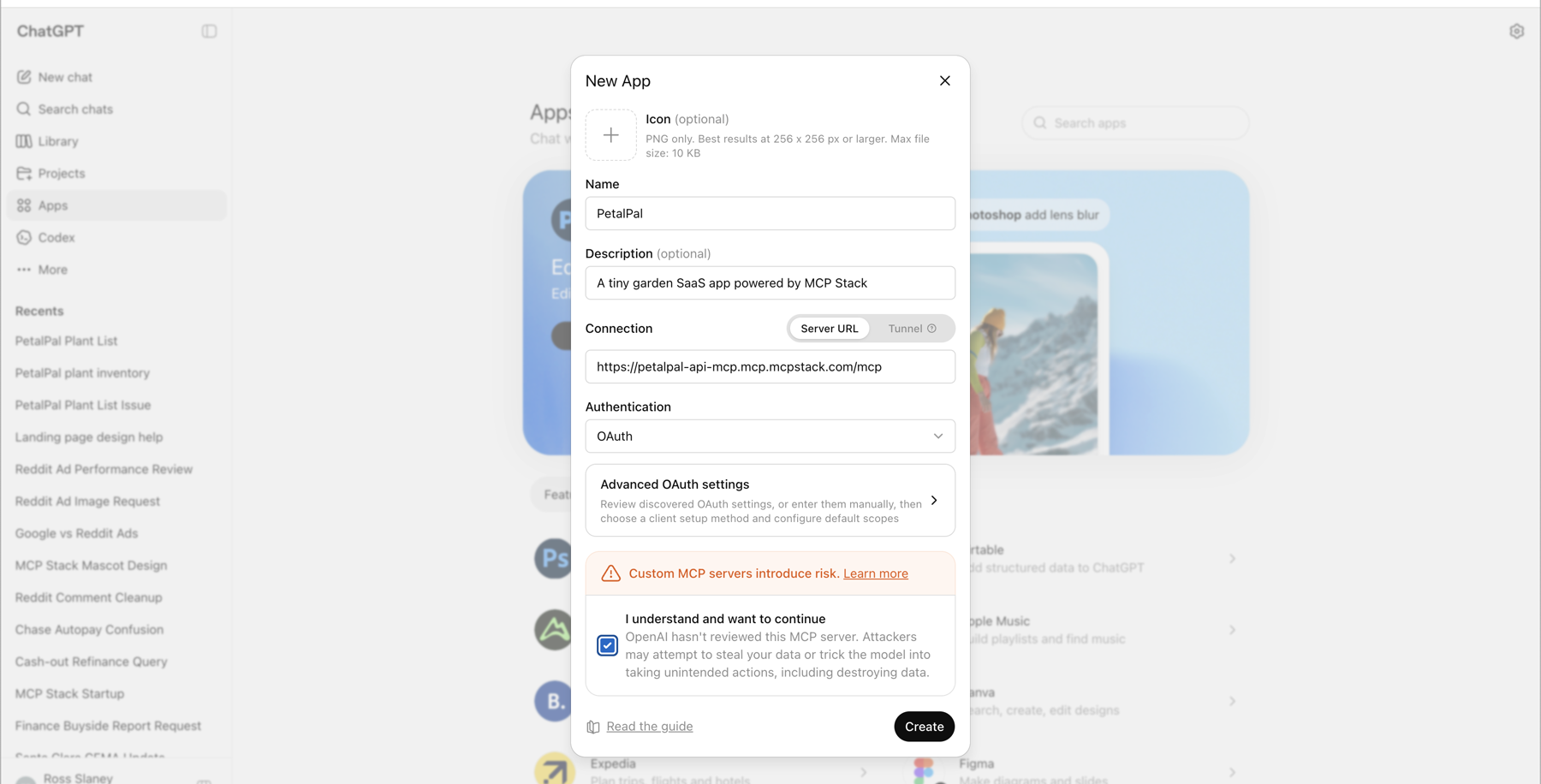
After accepting the custom app warning, ChatGPT starts the OAuth connection flow. The user signs in to PetalPal, ChatGPT receives the allowed scopes, and the app becomes available as tools inside the conversation.
This is where MCP Stack earns its place. The developer gives ChatGPT a hosted MCP URL. MCP Stack presents the metadata and auth shape ChatGPT expects, then routes authorized tool calls back to the PetalPal API.
Add PetalPal to Claude#
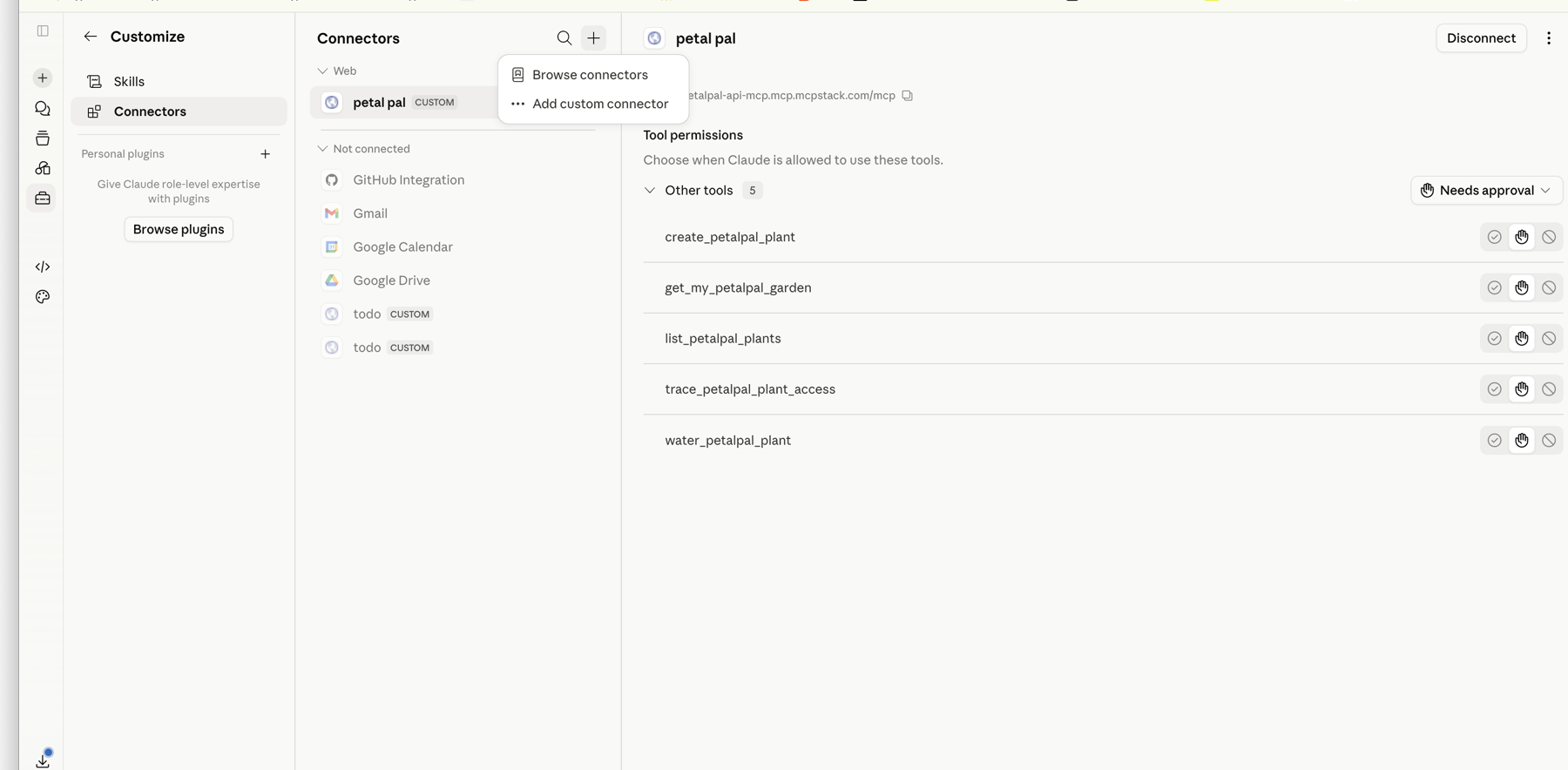
Claude's connector path is similar, but the UI is different. In Claude, open Customize, go to Connectors, choose Add connector, then Add custom connector.
The custom connector form asks for a name and the remote MCP server URL. I used the same MCP Stack hosted URL:
https://petalpal-api-mcp.mcp.mcpstack.com/mcp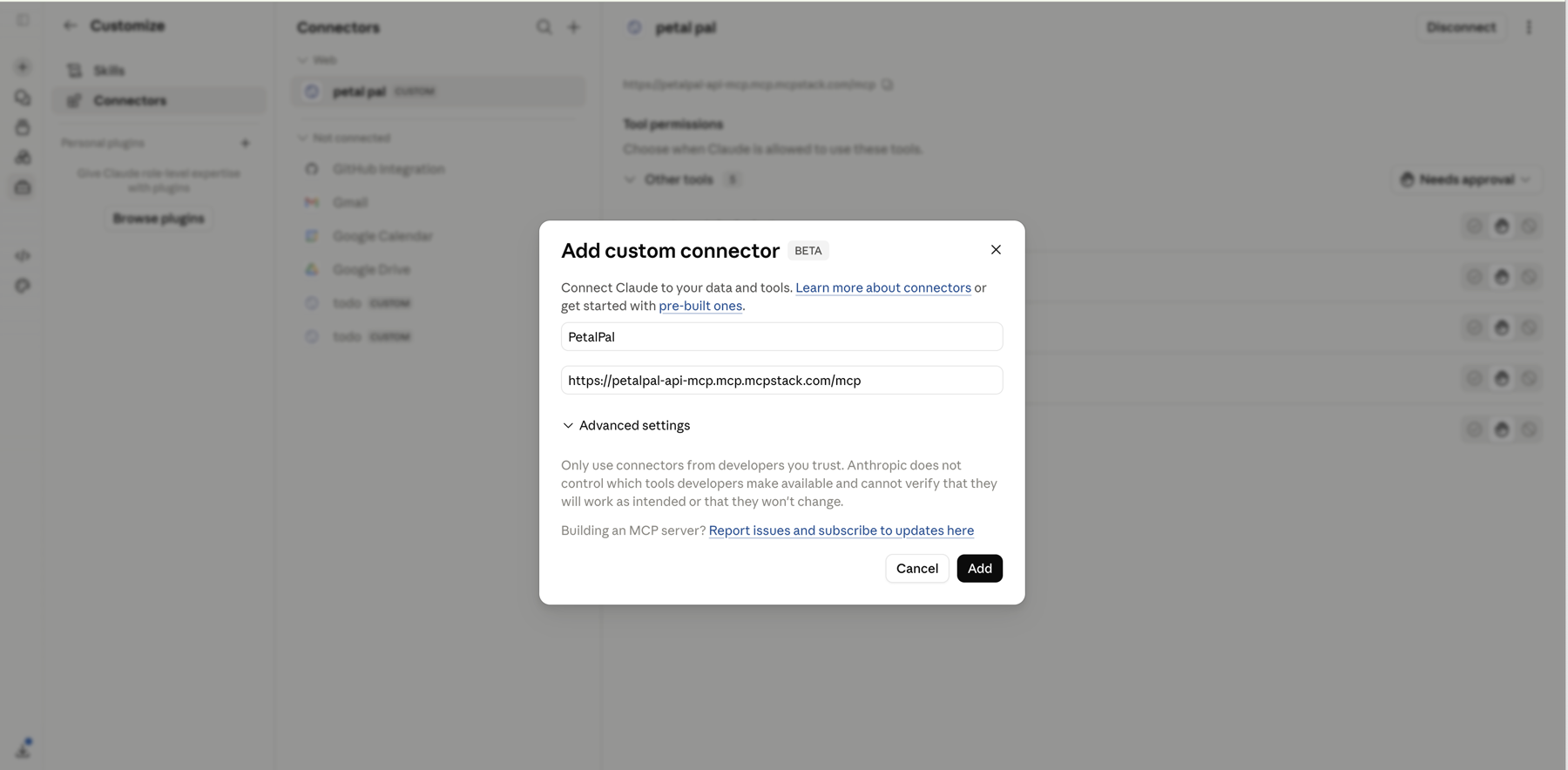
After the OAuth sign-in, Claude shows the connected PetalPal tools and lets the user decide whether each tool needs approval.
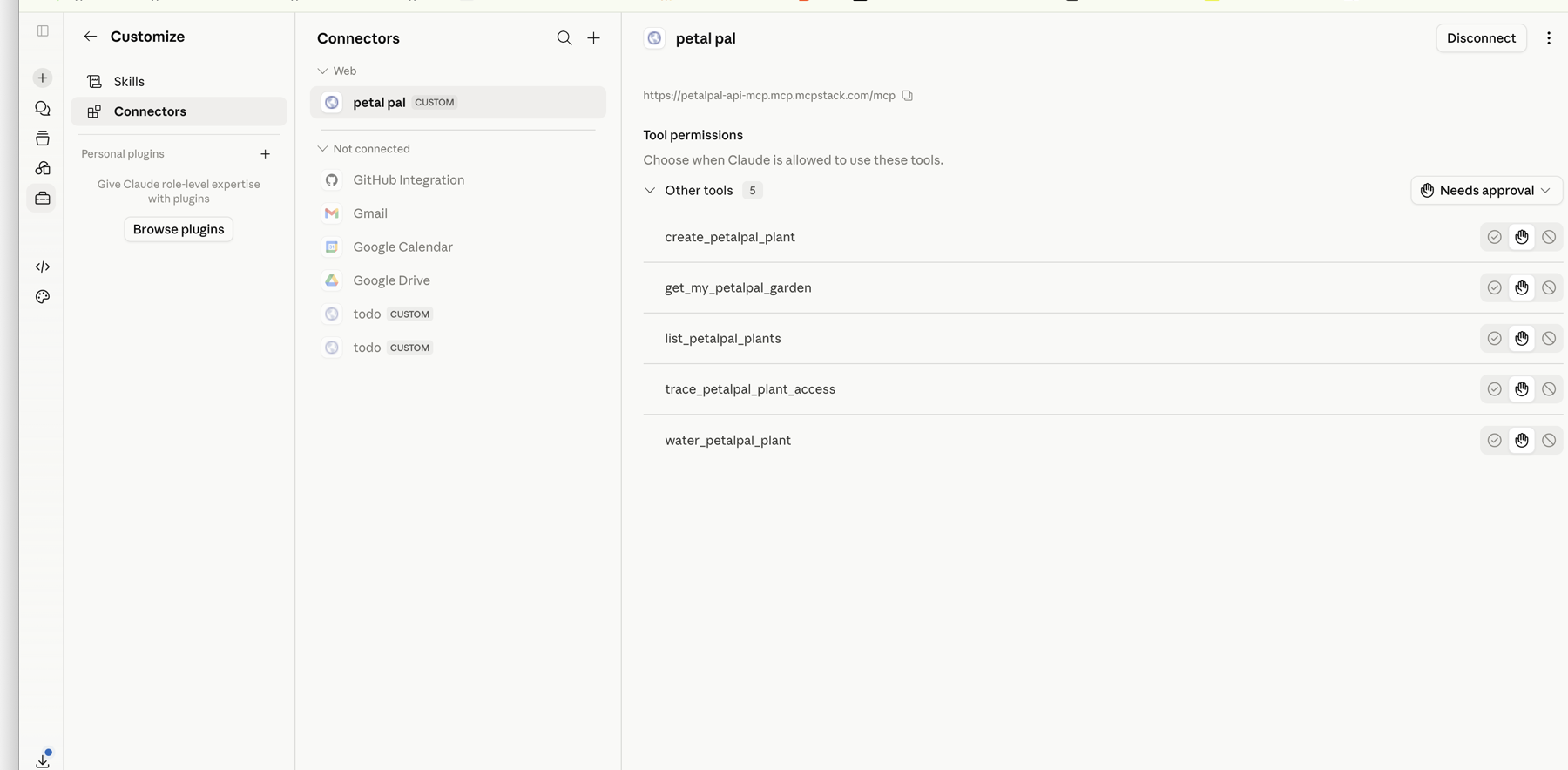
That is the same app, same URL, same OAuth-protected API, and same user-owned garden data. The client changes, but the product integration does not.
Use it in the clients#
The strongest demo is not the setup page. It is the moment the client calls the app.
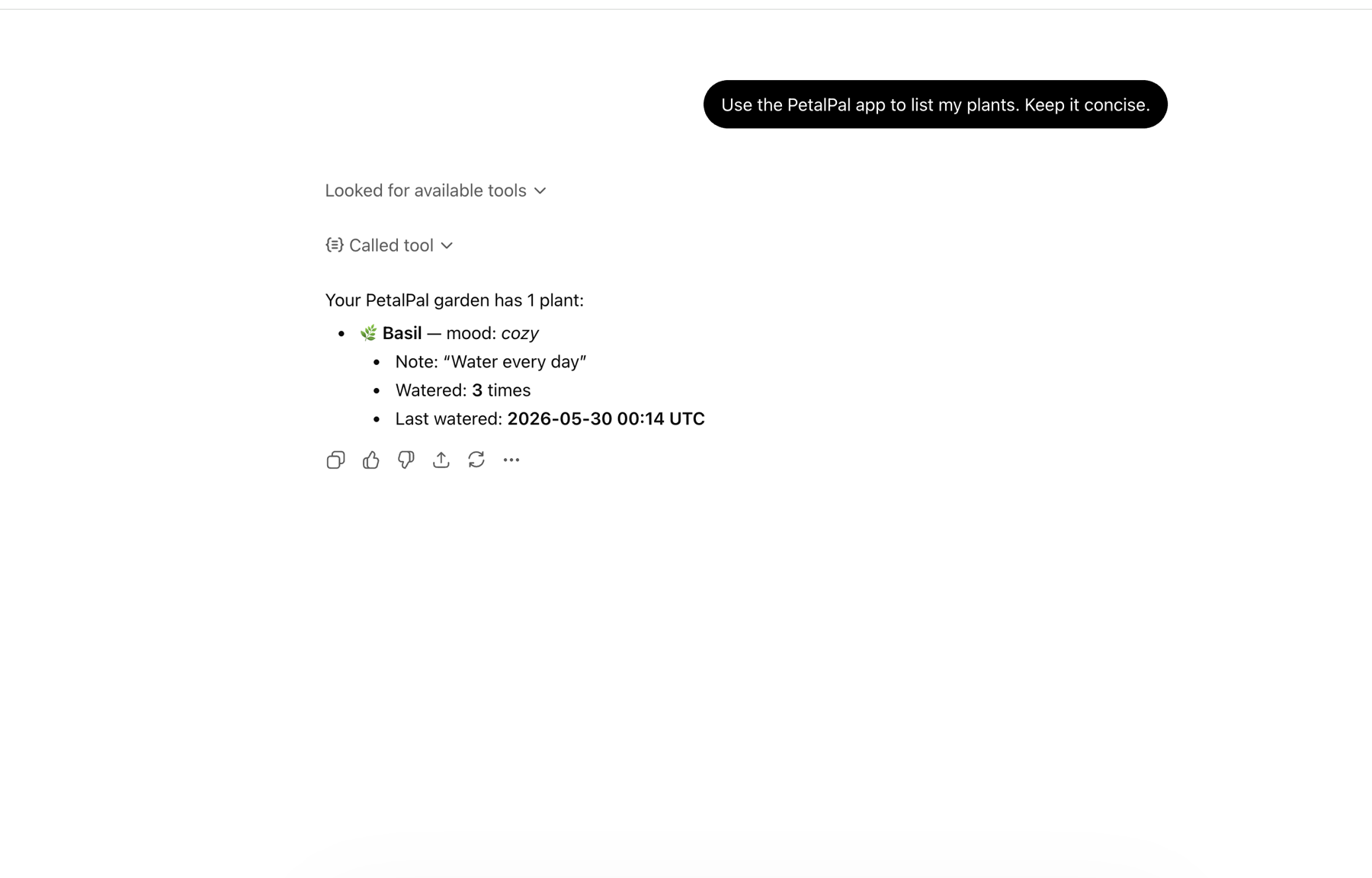
In ChatGPT, I asked PetalPal to list my plants. ChatGPT found the available tools, called the generated list tool, and returned live garden data from the PetalPal API.
In Claude, I asked for the PetalPal plant list. Claude used the connected PetalPal integration and returned the same garden data in a table.
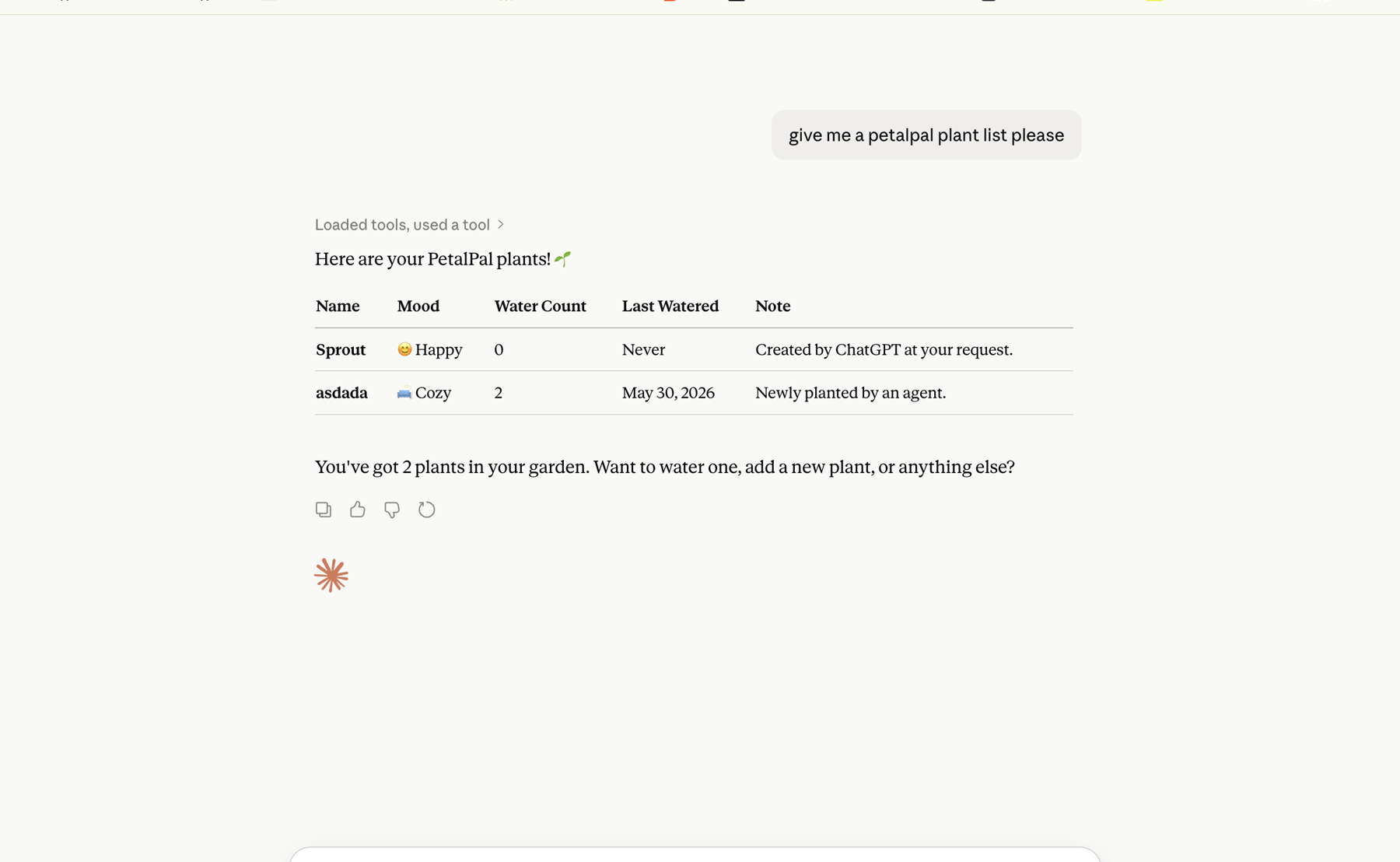
This is the customer outcome MCP Stack is built for. A SaaS developer can expose their product to multiple AI clients without building separate integrations for each client and without turning every connector into a hand-maintained auth project.
What MCP Stack handled#
PetalPal still owns the product and the API. MCP Stack handled the AI-client packaging:
- It hosted the public MCP URL that ChatGPT and Claude can connect to.
- It generated tools from the app's OpenAPI document.
- It connected client OAuth flows to the app-owned authorization model.
- It kept tool calls scoped to the signed-in user's permissions.
- It gave the team one place to configure, inspect, and evolve the MCP surface.
That is why this small garden app is a useful proxy for a much larger SaaS product. The pattern scales from "add a plant" to customer records, support tickets, dashboards, files, workflows, and every other API a user wants to reach from an AI client.
The pattern to copy#
If you are adding AI-client access to a SaaS product, the repeatable path is:
- Keep the normal product experience intact: landing page, signup, dashboard, and user-owned data.
- Protect the product API with OAuth and explicit scopes.
- Publish an OpenAPI document with operation names and descriptions that make sense as tools.
- Import that OpenAPI document into MCP Stack.
- Configure the app's OAuth issuer, resource, and scopes in MCP Stack.
- Paste the hosted MCP URL into ChatGPT, Claude, or any other compatible MCP client.
- Test real read and write actions from the client while signed in as a normal user.
PetalPal is small, but it exercises the important production boundary: users authorize the app they already use, MCP Stack presents it cleanly to AI clients, and tool calls come back through the same protected API path the product depends on.